
Downloads
Get the right build for your operating system and install it in your DAW.
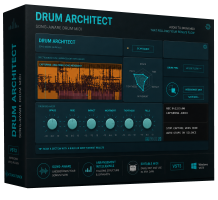
7-day free trial
Drum Architect
Generate editable drum MIDI for electronic tracks and pop built around programmed beats.
- Download
Windows 10/11
x64 · Windows 10/11
7-day trial · Existing Lemon Squeezy keys and new Polar keys
SHA-256 checksum
db9d0136ebecfd467b9c15efe2d2d83c66dc3386d75514821a3bf53713f46d8b - Download
macOS 12.7+
Intel and Apple Silicon · signed and notarized installer
7-day trial · Existing Lemon Squeezy keys and new Polar keys
SHA-256 checksum
aaf168084233bab5ac641c09b0a13703fe63cec1069c8f80acfb0c0541169917 - Download
Linux x86_64
Debian / Ubuntu
7-day trial · Existing Lemon Squeezy keys and new Polar keys
SHA-256 checksum
240b3bb07abfa0dc23834b5e2165aefbe074b9bb194765da23a813bffe850b4d
Previous releases for existing keys
Windows · 2.0.0 · 64-bit VST3 · ZIP · 3.6 MB
macOS · 2.0.0 RC3 · VST3 + AU · ZIP · 12.9 MB
Linux · 2.0.0 · 64-bit VST3 · ZIP · 3.7 MB
These older versions accept Lemon Squeezy keys only.
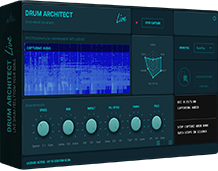
7-day free trial
Drum Architect Live
Generate a drum performance with a live drummer’s timing, dynamics and fills.
- Download
Windows 10/11
x64 · Windows 10/11
7-day trial · Existing Lemon Squeezy keys and new Polar keys
SHA-256 checksum
c9ea91c03e91772b3259e8bdd1f1063e4a4792e8b31d7c0e595b779e8d3b9ea6 - Download
macOS 12.7+
Intel and Apple Silicon · signed and notarized installer
7-day trial · Existing Lemon Squeezy keys and new Polar keys
SHA-256 checksum
e442da9822e1147510660009c394c206368c7a3debd7013a5003955537034644 - Download
Linux x86_64
Debian / Ubuntu
7-day trial · Existing Lemon Squeezy keys and new Polar keys
SHA-256 checksum
b2bdf96f3c94cf4c43f7600a21bfb405e953a1243360e99452cf5a28787f631d
Previous releases for existing keys
Windows · 2.0.0 · 64-bit VST3 · ZIP · 4.0 MB
macOS · 2.0.0 · VST3 + AU · ZIP · 25.5 MB
These older versions accept Lemon Squeezy keys only.
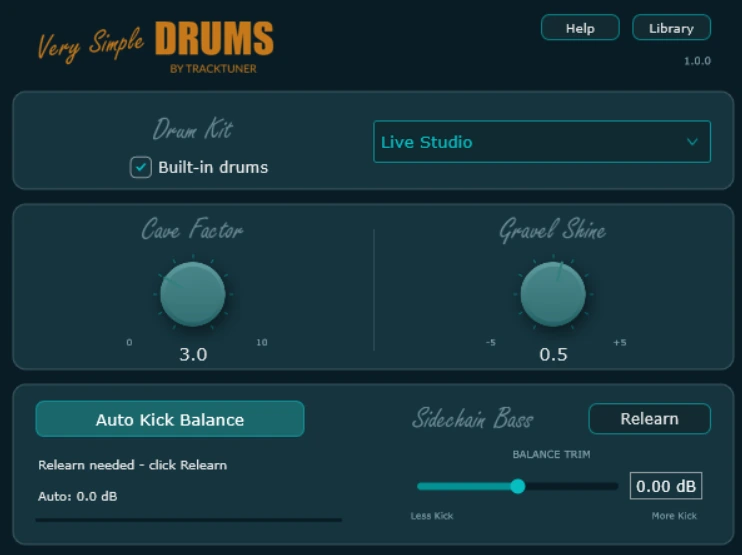
Free full version
Very Simple Drums
Play your drum MIDI with four acoustic kits and the included companion FX.
The Drum Architect and Live trials capture up to one minute per scan. Enter a license key in Drum Architect or Drum Architect Live to unlock up to five minutes per scan.
Drum Architect 2.1.0 and Drum Architect Live 2.0.1 accept existing Lemon Squeezy keys and new Polar keys on Windows, macOS and Linux. Each product has its own separate license. Activation and license help →
Installation
Install in your DAW.
Close your DAW first. Use the instructions for your package, then reopen the DAW and rescan plugins.
Windows
For Drum Architect and Live, extract the ZIP and copy the complete .vst3 bundle to your VST3 folder.
C:\Program Files\Common Files\VST3For Very Simple Drums, extract the ZIP and follow its instructions for the plugin and sample library.
macOS
- Drum Architect 2.1.0. Open the signed PKG installer and follow the on-screen instructions. It installs AU and VST3 for Intel and Apple Silicon on macOS 12.7 or later.
- Drum Architect Live 2.0.1. Open the signed and notarized PKG directly. It installs AU and VST3 for Intel and Apple Silicon on macOS 12.7 or later.
- Very Simple Drums. Open the downloaded PKG directly.
Use the AU version in Logic Pro.
Plugin install folders
/Library/Audio/Plug-Ins/VST3//Library/Audio/Plug-Ins/Components/Linux
Use the DEB on compatible Debian/Ubuntu systems, or the manual TAR.GZ archive. Close your DAW and choose one installation method.
Debian / Ubuntu commands
Drum Architect 2.1.0:
sudo apt install ./tracktuner-drum-architect_2.1.0_amd64.debDrum Architect Live 2.0.1:
sudo apt install ./tracktuner-drum-architect-live_2.0.1_amd64.debInstalls VST3 in /usr/lib/vst3 and CLAP in /usr/lib/clap, with runtime dependencies.
Manual installation
Extract the archive. Copy the complete VST3 bundle and CLAP file to ~/.vst3/ and ~/.clap/. Move older duplicates outside scanned folders. Keep VST3 in existing VST3 projects.
Restart your DAW and rescan plugins.
First scan
Capture your track.
Set up Drum Architect or Drum Architect Live on the full mix, then play it through the plugin.
Load the plugin on the main output
Insert Drum Architect as an audio effect on a channel that receives your full mix, such as Master or Stereo Out.
Cue your starting point
Start at bar one for a full song. For a trial scan, cue a section with a clear build into a chorus or drop.
Arm the scan
Press Scan Audio in the plugin before starting playback.
Play the song in real time
Check that the DAW’s output meter and the plugin’s input meter respond. Stop the capture when you have the passage you need.
Drag out the MIDI
When MIDI is ready, drag it onto a track with your drum instrument loaded. You can also save a MIDI file and import it.
Find the main output in your DAW
Ableton Live
Drag the plugin from the Plug-ins browser onto the Master track in Arrangement or Session View. Check the Master meter during playback. Drag the generated MIDI to a MIDI track with a drum instrument.
Logic Pro
Open the Mixer and add the AU version in an Audio FX slot on Stereo Out. Enable the effect and check the Stereo Out meter during playback. Drag the MIDI to a software instrument track.
Cubase
Open MixConsole from Studio or press F3. Load the plugin in Audio Inserts on Stereo Out or Main Mix, then check that the output meter moves. Drag the MIDI to an instrument or MIDI track.
REAPER
Show the Master Track, click FX and add the plugin to the Master effects chain. Check the Master meter during playback. Drag the MIDI onto a track with your drum instrument.
Troubleshooting
Waiting for audio?
Check that your mix is reaching the plugin.
- Use an audio effect slot on the main output. In Logic Pro, load the AU on Stereo Out.
- Enable the effect and check that both meters move during normal playback.
- Press Scan Audio before pressing Play, then play a passage with audio.
Include your OS, DAW and version, plugin format, and a screenshot showing the plugin and the output meter during playback.