
Audio-to-drum MIDI · VST3 + AU + CLAP
Drum
Architect
Scan your mix and build a drum arrangement around its sections, builds and breaks. Take the editable MIDI straight into your DAW.
7-day trial Up to 1 minute per scan
Audio demos
Hear how the drums
follow the track.
Listen for the changes in groove, fills and dynamics as each arrangement moves through the song.
Drum Architect generated the MIDI for all six demos from scans with the original drum tracks muted. Captain Beat provided the drum sounds.
How it works
From full mix
to editable MIDI.
The Motion DNA Engine™ maps energy and section changes locally. It uses that structure to write a General MIDI drum part, well suited to electronic tracks and pop built around programmed beats.
Route the source mix
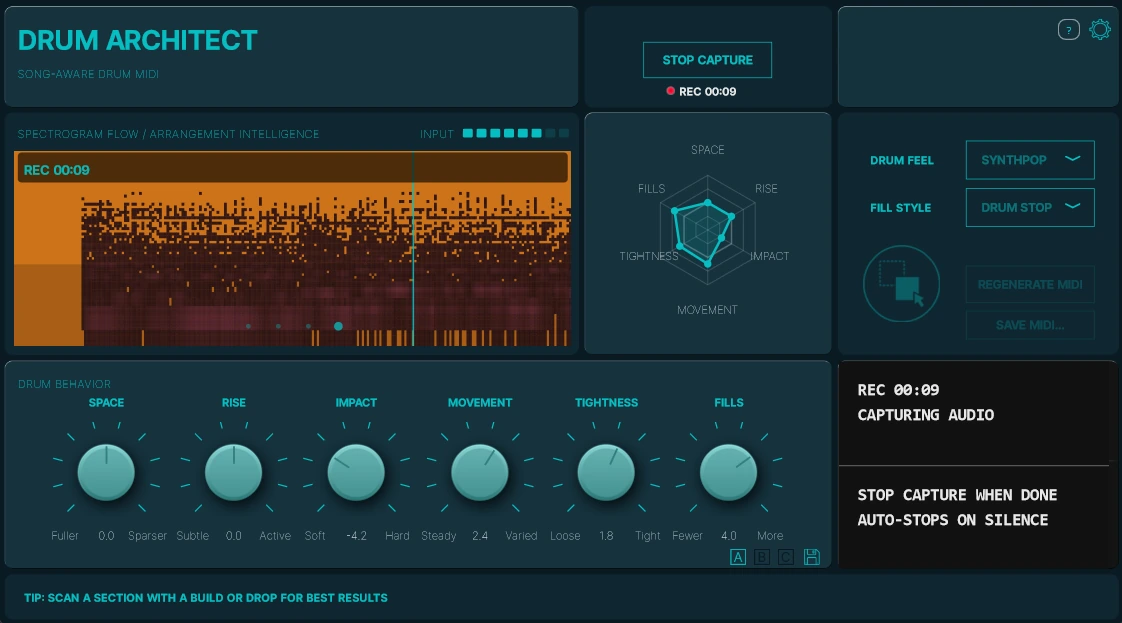
Insert Drum Architect as an audio effect on the master output or a mix bus that receives the tracks you want to analyze. In 2.1.0, check the Input meter during playback. Cue the passage, then arm Scan Audio and play.
Read the arrangement
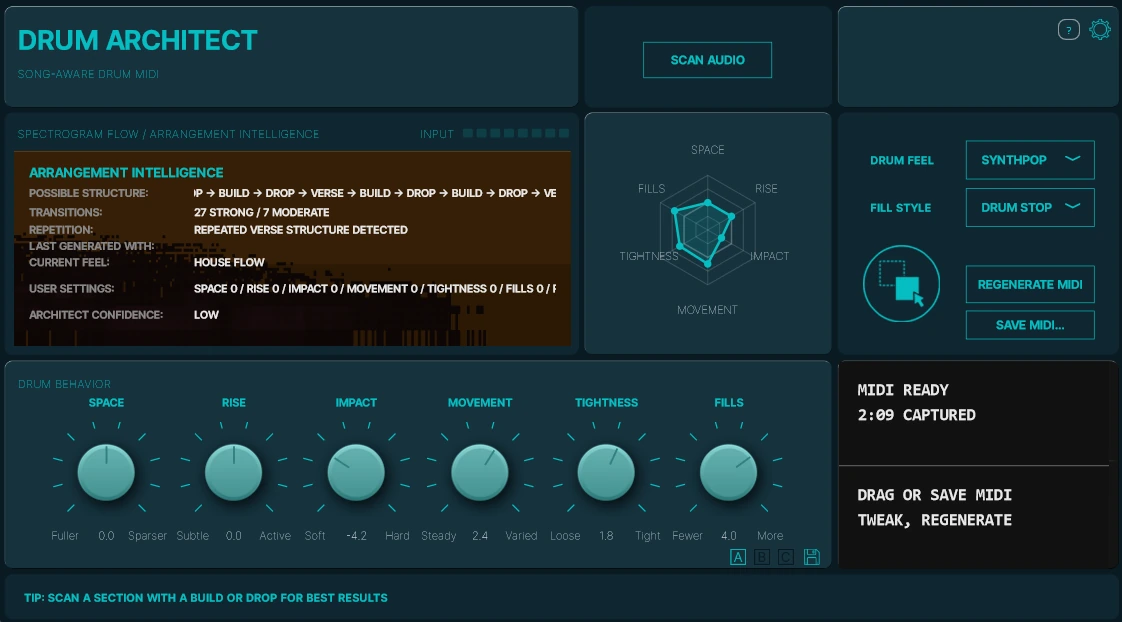
The REC indicator and timer show when capture begins. Stop the scan when you have the section you need. Stopping playback or sustained silence can also end it. Arrangement Intelligence shows what the plugin detected and which settings it used.
Export the drum MIDI
When the display reads MIDI Ready, drag the part onto an instrument track with a GM-compatible drum kit. The export uses the General MIDI drum map and is intended for MIDI channel 10. Remap the notes in your DAW for a custom kit.
Who it is for
For producers who need movement, not more loops.
You already have the chords, a topline or a few bars of a beat. Drum Architect gives you a complete drum arrangement to build on, with a part that develops as the song moves.
Producers with unfinished tracks
Hear how your beat could develop across the song when you’re stuck repeating the same few bars.
Songwriters
Lay down a drum foundation early so you can work on the song before programming every section by hand.
Electronic and pop producers
Shape the drums around builds, drops and breaks, with changes in groove and intensity across sections.
MIDI-first creators
Edit the notes and velocities in your piano roll and audition the part with your own drum sounds.
Producers who work inside the DAW
Capture, generate and drag the MIDI onto an instrument track, all in the session you’re already working in.
Drum Architect 2.1.0
Shape the groove
and the transitions.
Version 2.1.0 adds the Synthpop feel, five selectable fill styles and clearer capture feedback. See the changelog.
Drum Feel
Choose the rhythmic character of the groove.
Clean Pop
A balanced pop groove with a clear pulse and space for the vocal or lead.
House Flow
A steady dance groove that keeps moving as layers enter and drop away.
Club Drive
A more forceful groove for club tracks, EDM and high-energy choruses or drops.
Trap Bounce
Tighter movement and more hi-hat detail between the main drum accents.
Organic Kit
Acoustic-style phrasing that pairs well with an acoustic drum instrument.
Synthpop
In active 4/4 sections, the kick hits every beat, the snare hits 2 and 4, and closed sixteenth-note hats accent the offbeats. The hats carry into the drop, with an open hat available at the end of a phrase.
Fill Style
Choose the pattern used at eligible transitions.
Rolls
Snare and tom rolls carry momentum into the next phrase. This is the default for older projects and presets.
Bounce
Syncopated snare, clap or light percussion accents lead into the next section.
Tom Fill
High, high, mid and low toms descend across the sixteenths of beat 4. A kick resolves the fill on the next downbeat.
Snare Build
Eight snare hits rise in velocity across beats 1, 2, 3, the “and” of 3 and all four sixteenths of beat 4. Quarter-note kicks hold the pulse.
Drum Stop
The groove plays on beats 1 and 2, leaves beat 3 clear and lands a heavy snare on beat 4. The groove returns on the next downbeat.
Tom Fill, Snare Build and Drum Stop play fixed patterns at eligible 4/4 transitions into a groove. Other time signatures use the original fill behavior.
Drum Behavior
These six controls shape how the drums respond to energy and section changes. The radar chart shows all six settings together.
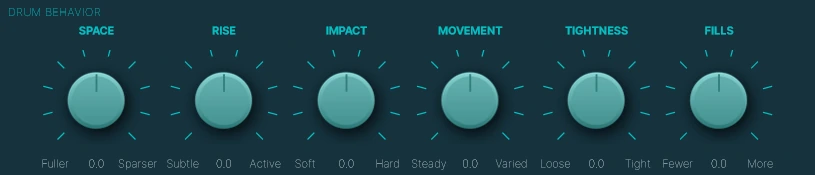
- Space Fuller → Sparser
- Set how much the drums pull back in quieter sections and breaks.
- Rise Subtle → Active
- Set how much rhythmic motion leads into the next big section.
- Impact Soft → Hard
- Set how strongly the drums land at a chorus, drop or other high-energy section.
- Movement Steady → Varied
- Set how much the hi-hats and percussion vary across the groove.
- Tightness Loose → Tight
- Set how closely the kick and snare sit on the grid.
- Fills Fewer → More
- Set how often the selected Fill Style appears at eligible transitions.
Try another take
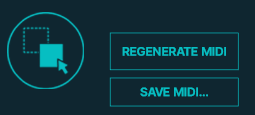
Adjust Drum Feel, Fill Style or a Drum Behavior control, then choose Regenerate MIDI to generate a new take from the last capture. Drag the result onto your instrument track or choose Save MIDI and import the .mid file. Preset slots A, B and C store settings, including Fill Style.
Compatibility
Find your build.
Choose the format your 64-bit DAW supports: VST3, AU on macOS or CLAP on Linux. Use AU in Logic Pro. See Downloads for Linux requirements and test notes.
Downloads and install instructions| Platform | Format | Version |
|---|---|---|
| Windows 10/11 | 64-bit VST3 | 2.1.0 |
| macOS 12.7+ | VST3 + AU | 2.1.0 |
| Linux x86_64 | VST3 + CLAP | 2.1.0 |
Version 2.1.0 includes Windows 10/11 x64 VST3, a signed and notarized macOS 12.7+ AU/VST3 installer for Intel and Apple Silicon, and Linux x86_64 VST3/CLAP as DEB and TAR.GZ packages. All accept existing Lemon Squeezy keys and new Polar keys.
On Windows, extract the ZIP and copy the complete plugin bundle. On macOS, run the PKG. On Linux, use the Debian/Ubuntu installer or manual archive; glibc 2.35+, libstdc++ 12+ and X11/XWayland are required. Downloads, installation and Linux test notes →
Open technical reference (PDF)Trial & license
Try it in your own session.
Enter your license key in the plugin whenever you’re ready to unlock longer scans.
Free trial
$0
7 days to try the capture, generation and MIDI export workflow. Capture up to 1 minute per scan.
Download free trialDrum Architect license
$29 USD
+ local tax where applicableCapture up to 5 minutes per scan. Includes the plugin, a license for up to 2 devices and all Drum Architect 2.x updates.
Buy license for Drum ArchitectPay securely with Polar and receive your license key. Download the plugin and future updates here at TrackTuner. Your new key works with Drum Architect 2.1.0 for Windows, macOS, Linux.
Frequently asked questions
What does Drum Architect generate?
An editable General MIDI drum arrangement. The plugin reads the structure and energy of your mix to write a new drum part with grooves, fills, breaks and transitions. It leaves the sound to a drum instrument you choose.
Does it use AI, loops or drum transcription?
The Motion DNA Engine uses deterministic audio analysis and rule-based generation inside the plugin. It writes drum MIDI for the arrangement it detects, including when you scan a mix with the original drums muted.
Can I use it with my existing drum plugin?
Yes. General MIDI-compatible instruments, samplers and racks can play the generated part directly. If your instrument maps its drums differently, remap the notes in your DAW.
Can I edit the MIDI and release tracks made with it?
Yes. Edit notes and velocities in your piano roll as you would with any MIDI clip. You can use drum MIDI generated from your own music in your productions, including commercial releases.
Does it need internet access?
Capture, analysis and MIDI generation all run locally in the plugin. Internet access is required for license activation and periodic validation.
What can I scan during the trial?
The free trial runs for seven days and captures up to one minute per scan. Try a passage with a clear change, such as a verse into a chorus or a build into a drop.
Why is licensed capture limited to five minutes?
The plugin analyzes audio on your own CPU and uses local memory. Five minutes covers most songs while keeping processing time and memory use manageable in the DAW.
What happens after I buy?
You receive a Polar license key for up to two devices and original 2.x updates. Download Drum Architect 2.1.0 for Windows, macOS or Linux from TrackTuner and enter the key in Settings. Existing Lemon Squeezy keys continue to work in these updates.