
Free acoustic drum plugin · VST3 + AU
Very Simple
Drums
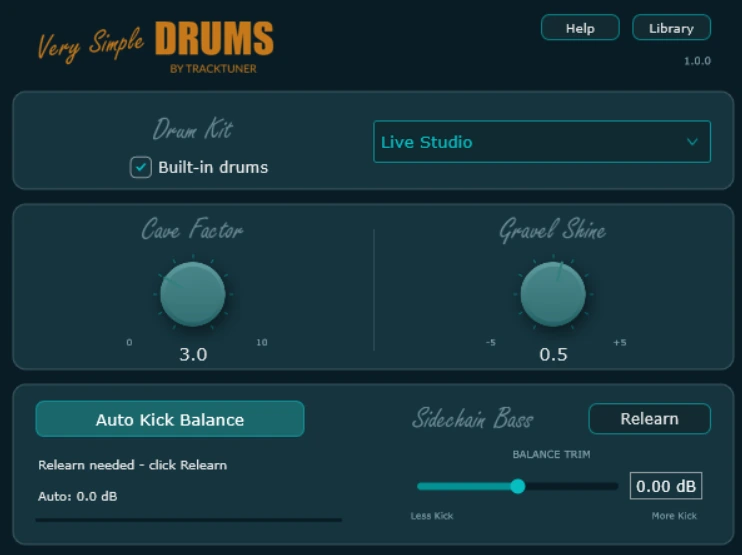
Play your MIDI through four acoustic kits. Shape the room and tone, then find a starting balance between your kick and bass.
Free full version No activation or time limit
Kit demos
Hear all four
acoustic kits.
Listen to the tone and room sound of each kit. Drum Architect Live generated the MIDI for these demos.
Load Very Simple Drums on a MIDI track and play a GM-compatible clip, use your MIDI controller or drag in an arrangement from Drum Architect.
Auto Kick Balance
Find a balance
for kick and bass.
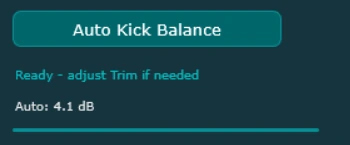
Auto Kick Balance measures the low-frequency energy of your kick against your bass and uses it to set a starting kick level.
Route your bass
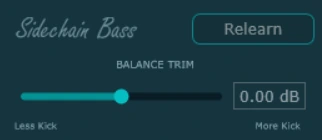
Send your bass track to the plugin’s sidechain input in your DAW. The bass is a measurement reference. The correction applies to kick level.
Play a representative section
Enable Auto Kick Balance and play a passage with active kick and bass. When the measurement is ready, the automatic gain correction stays fixed.
Fine-tune or measure again
Use Balance Trim to set the final level in your mix. Choose Relearn to take a new measurement. Processing runs locally in the plugin.
Sound controls
Shape the room
and the tone.
Cave Factor
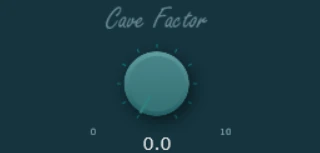
Add a dark, spacious reverb to the whole kit. At zero, you hear the room sound already in the samples.
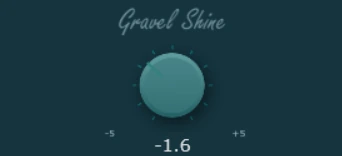
Gravel Shine
Turn towards Gravel for a darker, softer top end, or towards Shine for a brighter, leaner tone. Zero keeps the original tonal balance.
Very Simple Drums FX is included
Place the FX plugin after another drum instrument to use Cave Factor, Gravel Shine and Auto Kick Balance on its audio output. Route the bass to the FX sidechain to measure it. The FX plugin estimates the kick in the drum mix, so low toms and overlapping low frequencies can also be affected.
Free full version
Download Very Simple Drums.
Both builds include four acoustic kits and Very Simple Drums FX. Choose the package for your 64-bit DAW.
Windows
VST3 1.0.0 ZIP, 360 MB
Extract the ZIP and follow the included instructions to install the plugin and sample library.
Download for WindowsmacOS
VST3 + AU 1.0.0 PKG, 386 MB
Open the PKG installer and follow the on-screen steps. Use the AU plugin in Logic Pro.
Download for macOSKeep the supplied sample library in a permanent location and use the Library control to locate it if prompted. Rescan plugins in your DAW after installation.
See all TrackTuner downloadsFrequently asked questions
What’s included in the free download?
The full drum instrument, four acoustic kits and Very Simple Drums FX. You can use them without a license key or time limit.
Where does the drum MIDI come from?
Use a GM-compatible clip you wrote or imported, play from a MIDI controller, or use arrangements from Drum Architect and Drum Architect Live. Very Simple Drums works independently as a drum instrument.
When do I need a bass sidechain?
Connect your bass through your DAW’s sidechain routing when you want to use Auto Kick Balance. The four kits and the two sound controls work with MIDI alone.
Why does Auto Kick Balance take time to measure?
It compares low-frequency energy from active kick hits and bass notes. Play a representative section with both instruments. Sparse passages can take longer to measure.
How do I use it with another drum instrument?
Place Very Simple Drums FX after the instrument in your DAW. Route the bass to the FX plugin’s sidechain if you want Auto Kick Balance.
What is the Library control for?
It locates the supplied sample library. Very Simple Drums plays the four built-in kits in this version.